
- New





CssPro – Reduce Render-Blocking CSS with Smart Preloads for Faster PrestaShop images
PRESTAHEROES / Storefront performance
Put your first impression on the fast track.
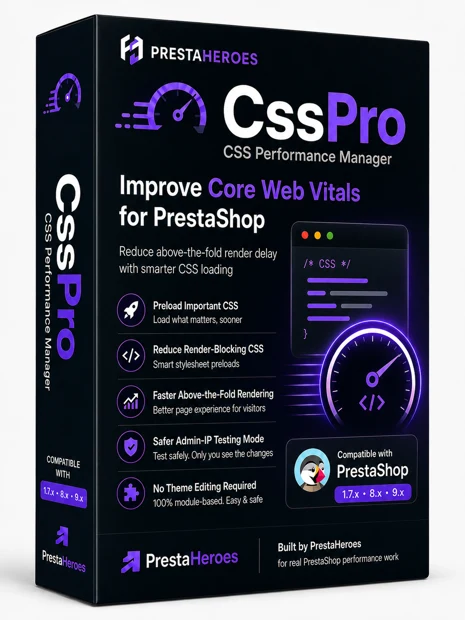
CssPro focuses on the CSS problem that performance tests keep reporting: render-blocking stylesheets. It lets PrestaShop merchants preload selected CSS assets so the browser can request important stylesheets earlier, helping reduce Google PageSpeed and WebPageTest render-blocking penalties while significantly decreasing above-the-fold render delay.
CSS is often treated as a background technical issue, but it directly affects when shoppers see the first usable content on a page. When critical stylesheets are discovered too late, the browser waits, the above-the-fold area renders later, and performance reports flag render-blocking resources.
CssPro is built around a practical fix: stylesheet preloads. Instead of rewriting your shop, it gives you a controlled way to push selected CSS files earlier in the loading sequence.
The module is designed around a clear performance workflow: find the CSS, choose what should be loaded sooner, then validate the result privately before normal visitors see the change.
CssPro discovers CSS files used by your shop, gives you control over selected stylesheet preloads, and includes stealth testing so you can validate changes before opening optimization to normal visitors.
Records CSS files as PrestaShop prepares pages, helping you see what assets are loaded by your theme and modules.
Adds preload tags for selected stylesheets so important CSS can be requested earlier by the browser.
Test privately by IP address before enabling CSS optimization for normal visitors.
Yes. CssPro is compatible with all PrestaShop themes and modules. It is also PrestaShop multishop compliant.
CssPro does not modify PrestaShop core files, theme files, or third-party module files. It works at the CSS asset-loading level, detecting the stylesheets already loaded by your shop and allowing selected CSS files to be preloaded for faster above-the-fold rendering.
The primary purpose is to use stylesheet preloads to reduce render-blocking CSS warnings and decrease above-the-fold render delay. This helps the browser request important CSS earlier, so the first visible page area can render sooner.
Yes. CssPro is compatible with all PrestaShop themes and modules. It works with the CSS assets already loaded by your shop and does not require changes to theme, module, or core files.
Yes. CssPro is PrestaShop multishop compliant, making it suitable for stores that manage more than one shop from the same PrestaShop installation.
Yes. CssPro includes Safe Stealth Mode so you can test privately by IP address before enabling changes for normal visitors.
CssPro is not a cache trick or vague speed promise. It focuses on the CSS delivery problem that repeatedly appears in performance testing: render-blocking stylesheets delaying the above-the-fold page render.
Use CssPro to discover CSS assets, preload the stylesheets that matter, test safely, and reduce the friction that makes PrestaShop pages feel slow before visitors even start shopping.

 Security policy
 Delivery policy
 Return policy



Comments (0)
Your review appreciation cannot be sent
Report comment
Report sent
Your report cannot be sent