Aisle-style shopping for PrestaShop 8 & 9
Product List Add-to-Cart with Persistent Quantity
Turn your category pages into active shopping aisles. Visitors can add products, increase quantities, reduce quantities, and keep browsing without being forced into product pages or repeated cart visits.
View Admin Demo Make Category Pages the Place Where Shopping Happens
Most PrestaShop category pages behave like navigation pages. Shoppers browse, click into a product, go back, add to cart, return again, and slowly lose rhythm.
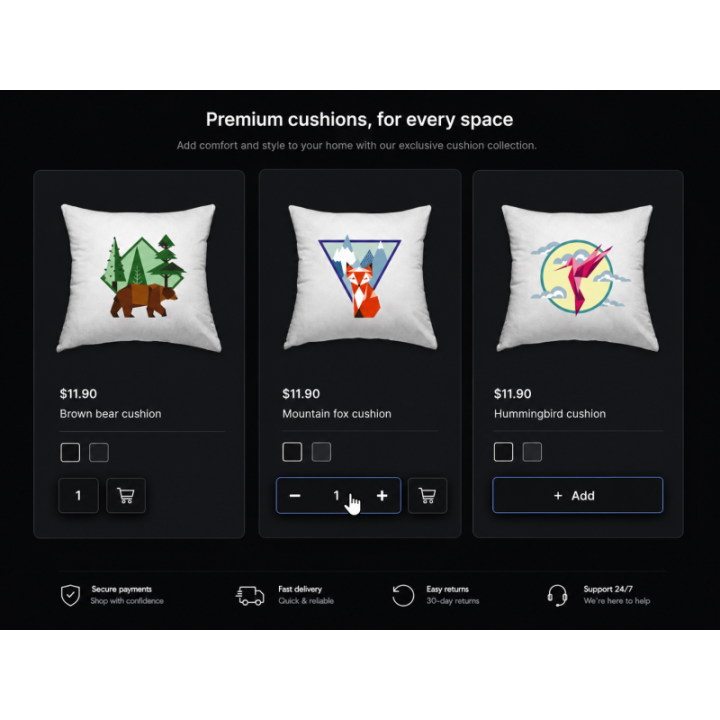
This module changes that experience. It lets customers shop directly from the product list, the same way they would walk down a grocery aisle with a basket. They see what they have already selected, adjust quantities in place, and continue shopping with less friction.
Persistent Quantity Display The product list reflects the real cart state, so shoppers can see exactly how many of each item they have selected.
Faster Shopping Flow Customers can add, increase, decrease, or remove items directly from the category page without breaking their browsing rhythm.
Mobile-Friendly Feedback On mobile devices, optional vibration feedback confirms that an item has been added without forcing the shopper to stop and check.
Designed for Real Shopping Behavior
When adding more takes one tap, shoppers are more likely to keep building the basket. The experience feels natural, especially for stores where customers buy multiple items from the same category.
It improves the shopping path without changing PrestaShop pricing, taxes, cart rules, carrier logic, or checkout behavior.
How the Shopping Flow Works
1
Browse the Category The visitor shops directly from the product list instead of opening every product page. 2
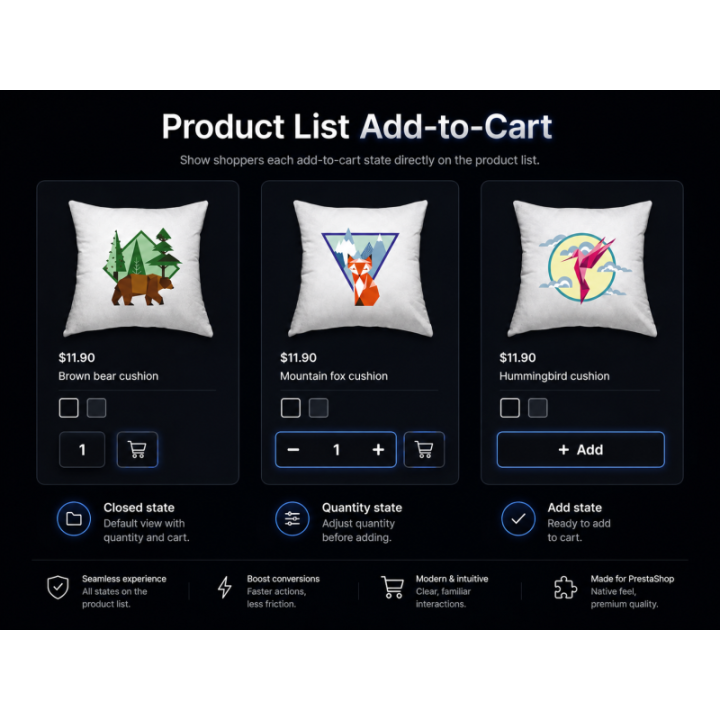
Add the Product The Add button adds the item and immediately changes into quantity controls. 3
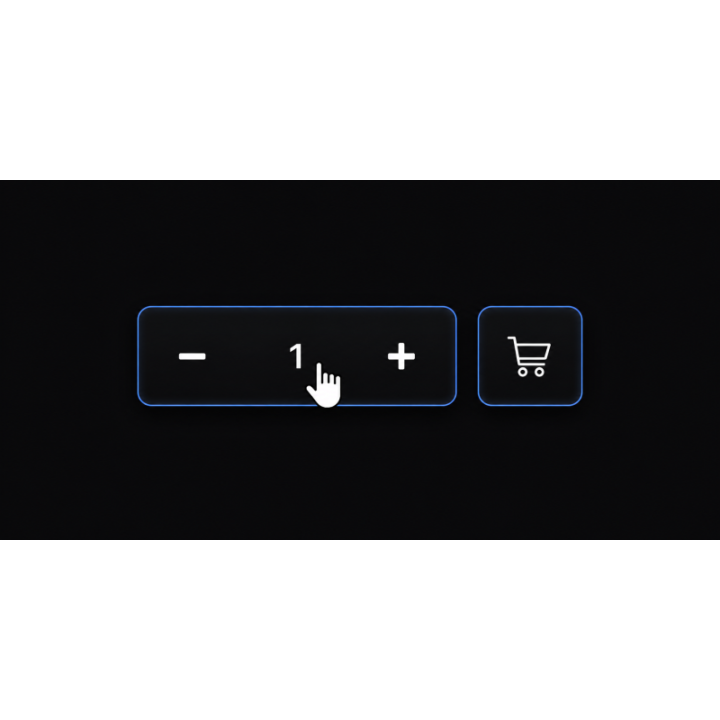
Adjust Quantity The visitor can use plus/minus controls or manually enter the quantity they want. 4
Keep Shopping The selected quantity stays visible and accurate when the visitor moves around the shop.
Customer Benefits
Shopping stays fluid
Visitors can drop items into the basket without leaving the product list or interrupting the shopping flow.
This is especially useful for shops where customers buy multiple items from the same category.
Quantities stay visible
Shoppers can see what they have already selected and adjust quantities directly from the product list.
They can increase, decrease, remove, or manually edit quantities without having to visit the cart.
Nothing resets
If a visitor leaves a category and comes back later, the product list still reflects what is currently in the cart.
The experience feels consistent, reliable, and easier to trust.
Mobile feels more responsive
Optional vibration feedback can confirm that an item was added on mobile devices.
The shopper receives instant feedback without needing another page load or cart confirmation step.
Merchant Benefits
Category pages become selling pages
Category pages stop acting only as navigation and start functioning as active shopping areas.
Visitors can build their basket while they browse, which supports a more natural buying flow.
Less friction, more basket building
The fewer interruptions a shopper has, the easier it is for them to keep adding products.
This is a practical visitor-experience upgrade for parts, accessories, food, supplies, consumables, and repeat-purchase catalogs.
Native cart logic remains intact
The module does not replace PrestaShop checkout behavior.
Pricing, taxes, cart rules, stock handling, carriers, and payment modules continue to use native PrestaShop logic.
No core overrides
The module improves the front-office shopping experience without modifying PrestaShop core files.
It is designed to work with classic and modern themes while keeping the shop maintainable.
Module Features
Real cart state on product lists
When an item is added, the Add to Cart button changes into quantity controls showing exactly how many units are in the basket.
Persistent quantity display
Quantities remain visible and accurate when visitors move between categories, continue browsing, or return later.
Direct product-list control
Items can be added, increased, decreased, manually edited, or removed directly from the product list.
Collapsed clean state
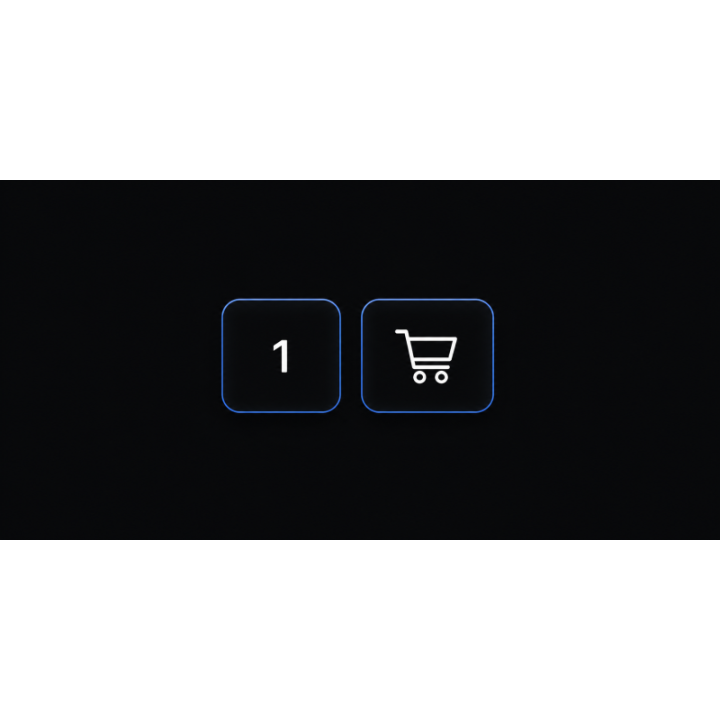
After clicking outside a product, the controls collapse to show only the quantity. The quantity remains clickable and editable.
Optional cart icon
An optional cart icon can allow checkout to start directly from the product list.
Mobile vibration feedback
On mobile, adding an item can trigger tactile vibration feedback for a faster, more responsive shopping feel.
Simple Products vs. Products with Options
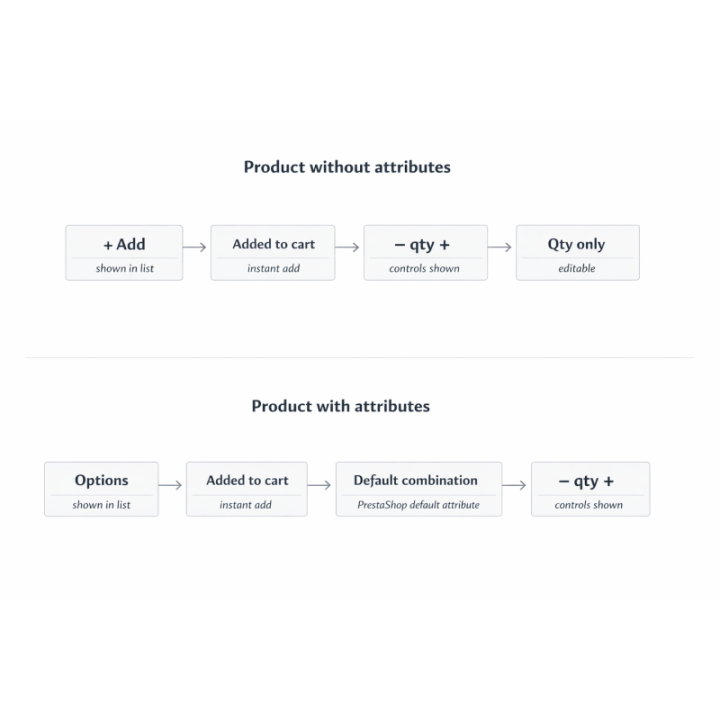
Products without attributes The product list displays + Add. Clicking it adds the product to the cart and switches to quantity controls that always match the current cart quantity.
Products with attributes The product list displays Options. Clicking it adds the product using the default attribute combination, then switches to quantity controls.
In both cases, the shopper can continue browsing, adjust quantities, or proceed toward checkout using the optional cart icon.
FAQ
Does this replace PrestaShop checkout?
No. The module improves product-list shopping behavior only. Checkout, cart rules, taxes, carriers, and payment modules continue to use native PrestaShop logic.
Does it require core overrides?
No. The module is designed to improve the front-office shopping experience without modifying PrestaShop core files.
What happens after the shopper clicks away?
The quantity controls collapse into a cleaner quantity display. The quantity remains clickable and can still be edited.
Can customers manually enter a quantity?
Yes. Visitors can use plus/minus controls or manually enter the quantity they want.
Is this useful for mobile shoppers?
Yes. The flow is especially useful on mobile because it reduces page changes and can provide vibration feedback when an item is added.
Does it change prices, tax, or carriers?
No. The module improves how visitors add products from the product list. It does not change pricing, taxes, carrier selection, cart rules, or checkout totals.
Compatibility
Built for modern PrestaShop product-list shopping experiences.
PrestaShop 8.x PrestaShop 9.x Theme agnostic — works with all PrestaShop themes No core overrides



Commentaires (0)
Votre avis ne peut pas être envoyé
Signaler le commentaire
Signalement envoyé
Votre signalement ne peut pas être envoyé